How it works
1. Browse like you normally would
Start browsing your favorite second-hand car marketplaces. As you view different car listing pages, the extension automatically tracks and records them. We can extract information from most major car resellers, such as autotrader.com and cars.com.

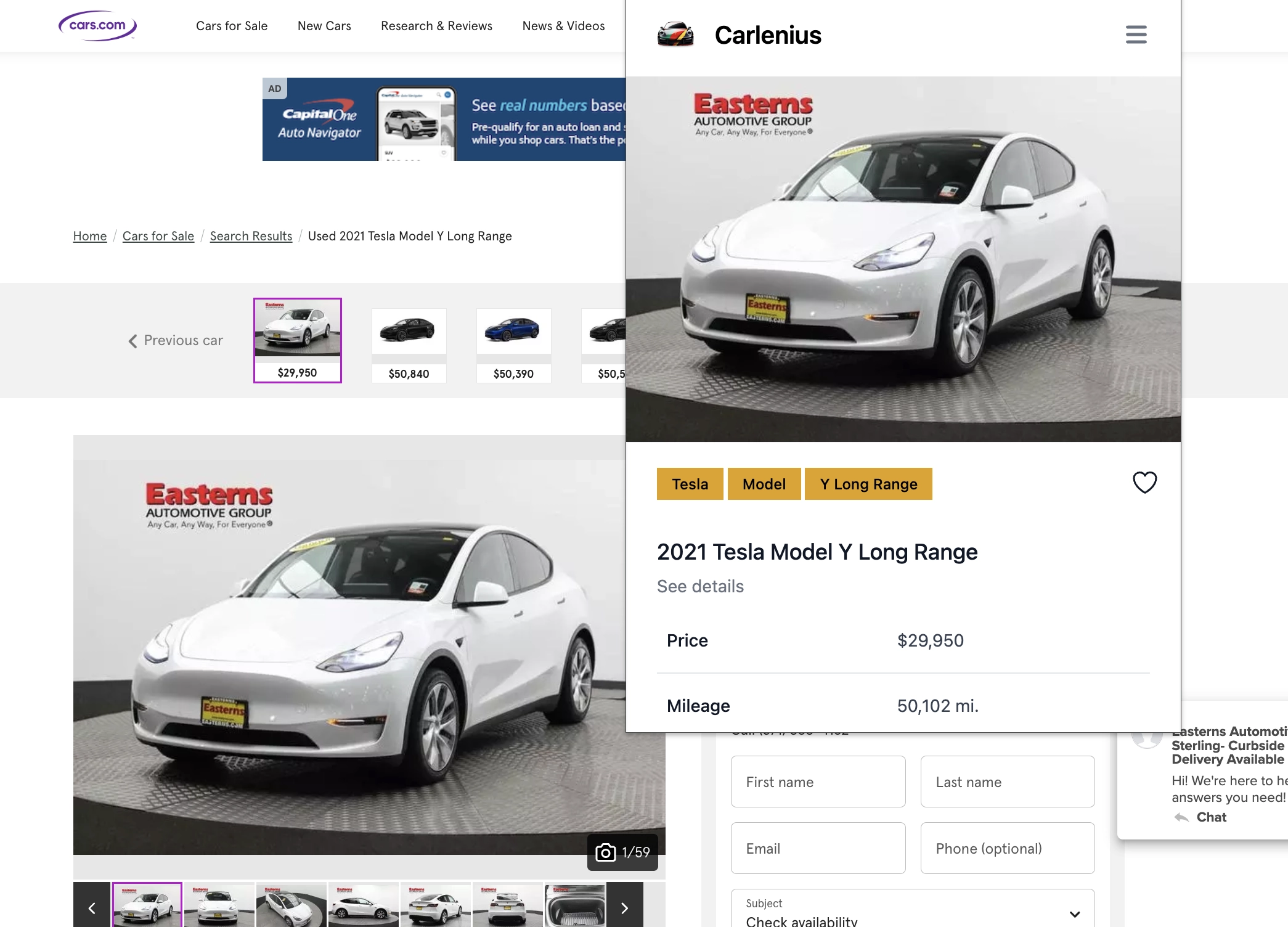
For complete information about supported websites, please visit our dedicated page.
2. Keep track of cars you like
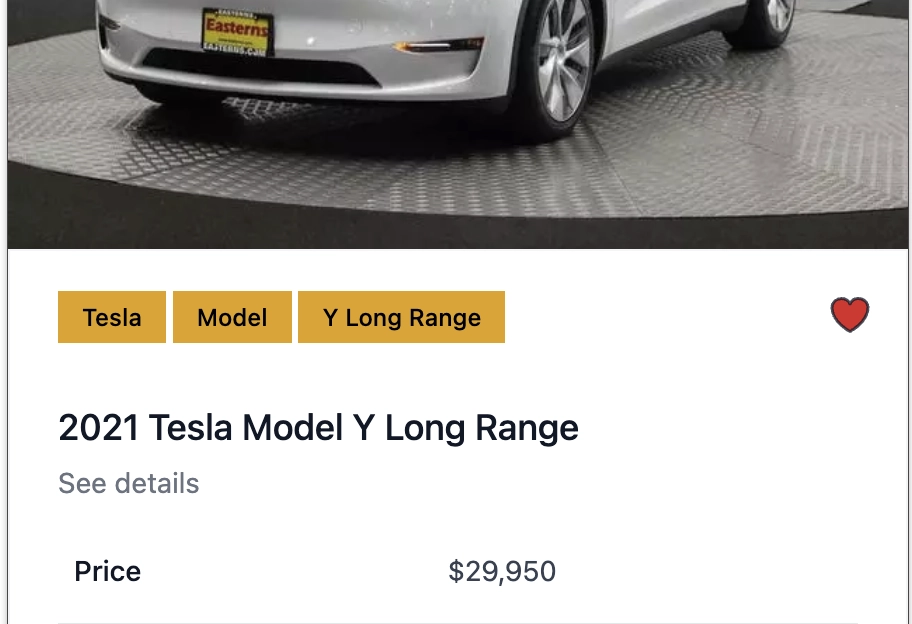
Have you found a car you like? Great! You can now click the like button.
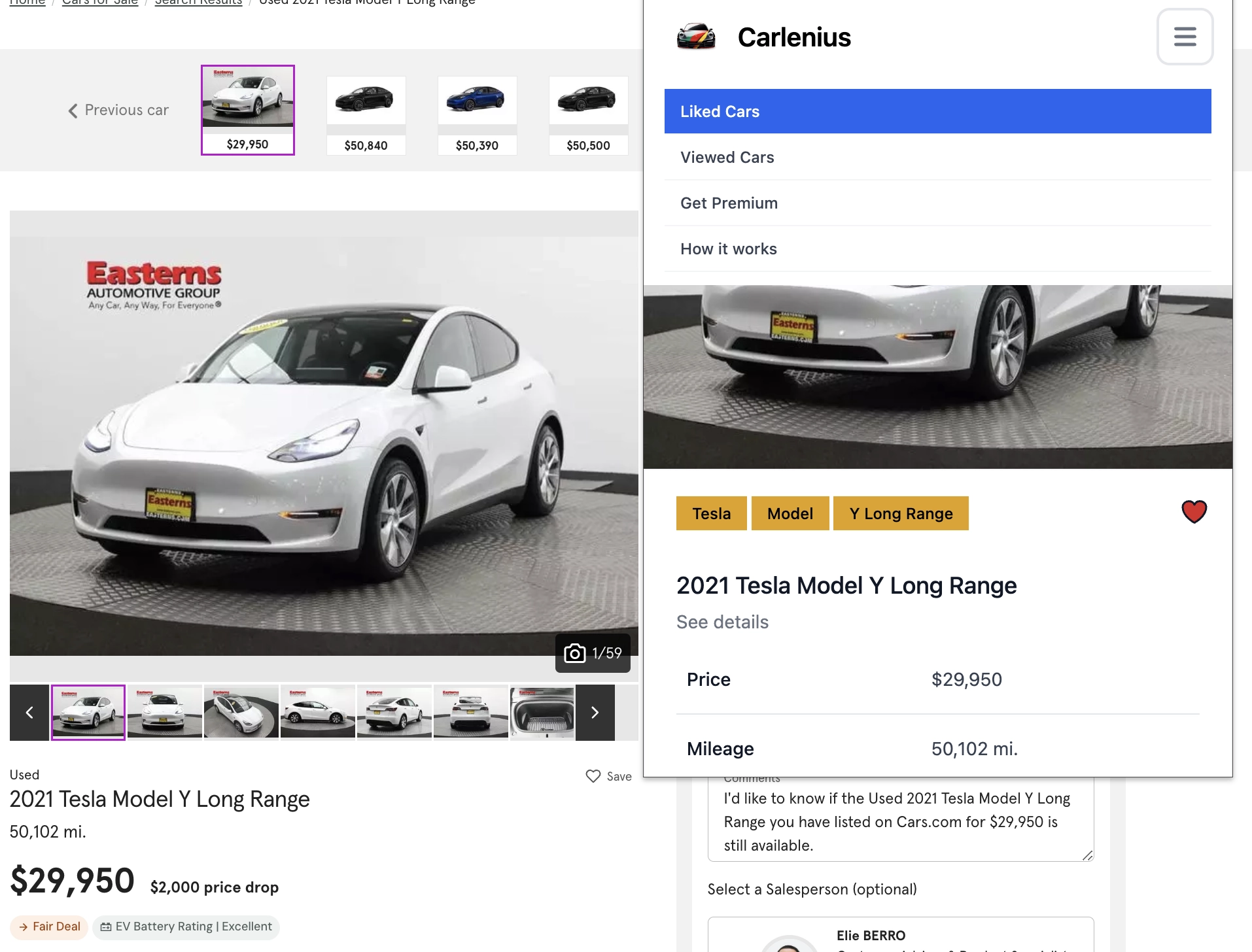
If you want to see all your liked cars, just open the menu and navigate to the liked cars page.
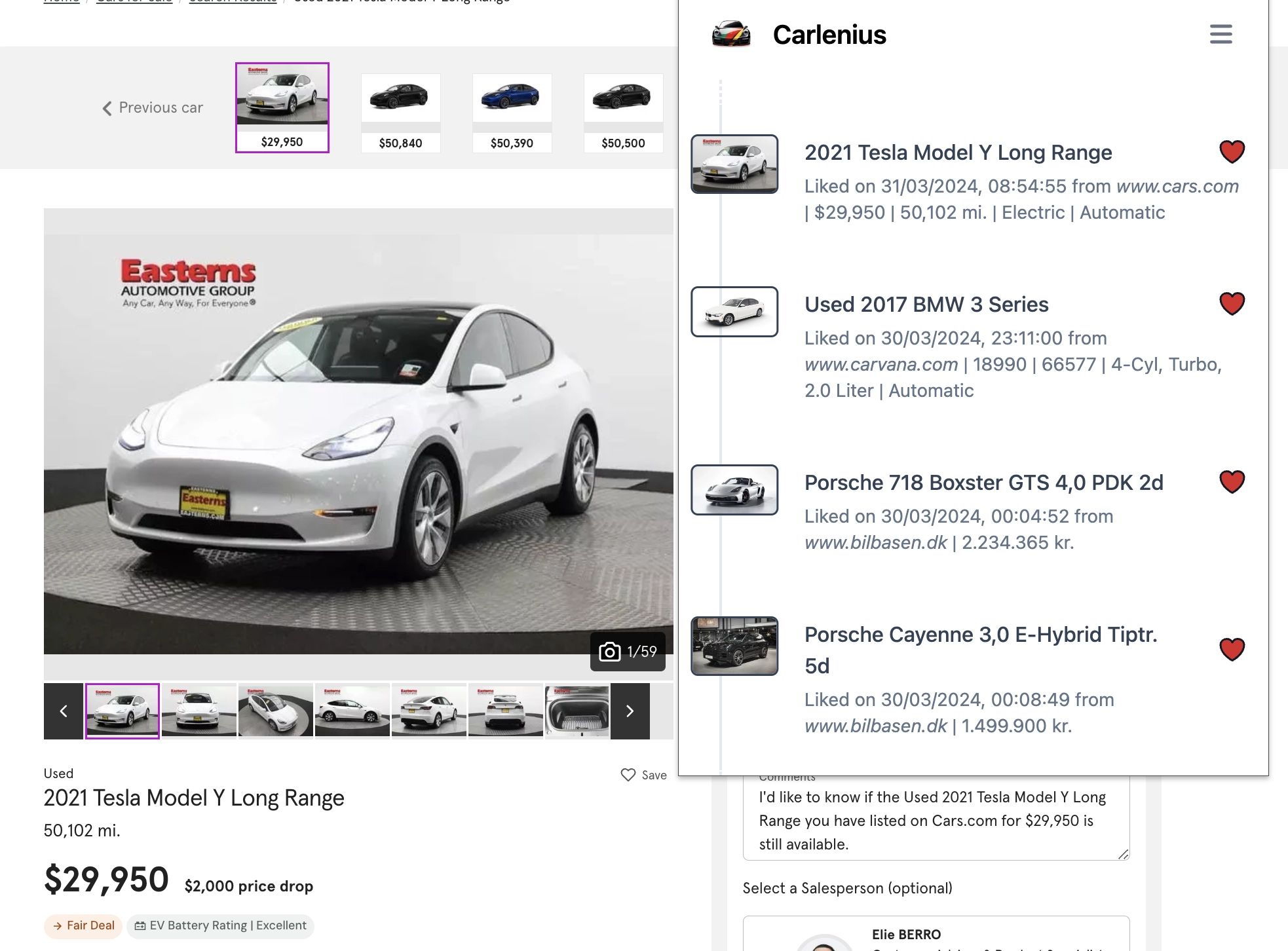
You can always revisit the listing by clicking the image, or revoke your like by clicking the like button again.
3. Check your history
Would you like to revisit a car you've seen but can't remember the website or URL?
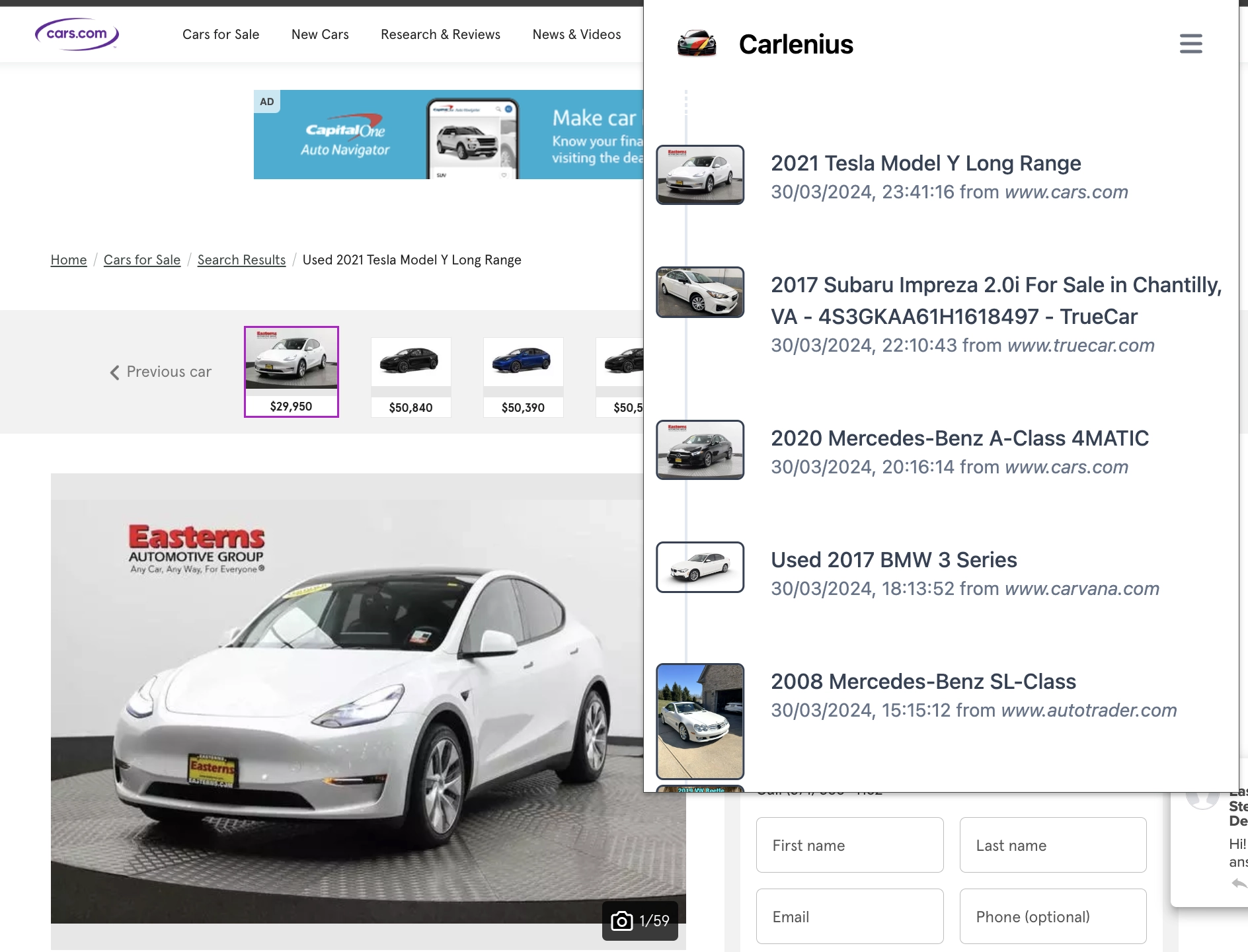
The car history feature helps you keep track of and revisit the cars you've seen — even the ones you didn't like — across different marketplaces.
4. Consult our integrated partners
There's nothing worse than buying a car with a history of accidents or rolled-back mileage.

Use one of our integrated partners that can show you information about the car's history, often completely free of charge. However, if you're seriously interested in the vehicle, it's a good idea to also get a paid report with far more detail.
5. (Upcoming) Consult the Carlenius Agent
Unless we're car experts, chances are we don't know much about the specific issues of a vehicle we're about to buy. With our integrated agent, Carlenius can help answer questions such as:
- What are common issues or recalls for this model and year?
- Are there any known transmission problems for this specific model and year?
- What is the typical maintenance schedule and cost for this car model?
- What are the most frequently replaced parts on this model after high mileage?
- Can the car’s onboard technology and electronics (e.g. navigation, infotainment) be easily updated or replaced?
- What is the expected lifespan and reliability of this car model?
- How does the car's mileage affect its performance and value?
- What is the average resale value of this model after a certain number of years or miles?
You can also chat freely with the agent for more information and peace of mind when buying your next vehicle.